🧮 Chapter 8: Evaluating Vendors – What Good Looks Like
By now, you have:
- A clear solution stack (hardware, connectivity, software, services, governance).
- A URS and RFP framework that sets expectations.
Chapter 8 is where you turn all of that into practical selection decisions:
- How to compare vendors in a structured way.
- How to avoid being dazzled by demos and discounts.
- How to make sure the chosen vendor actually fits your risk profile for the next 3–5 years.
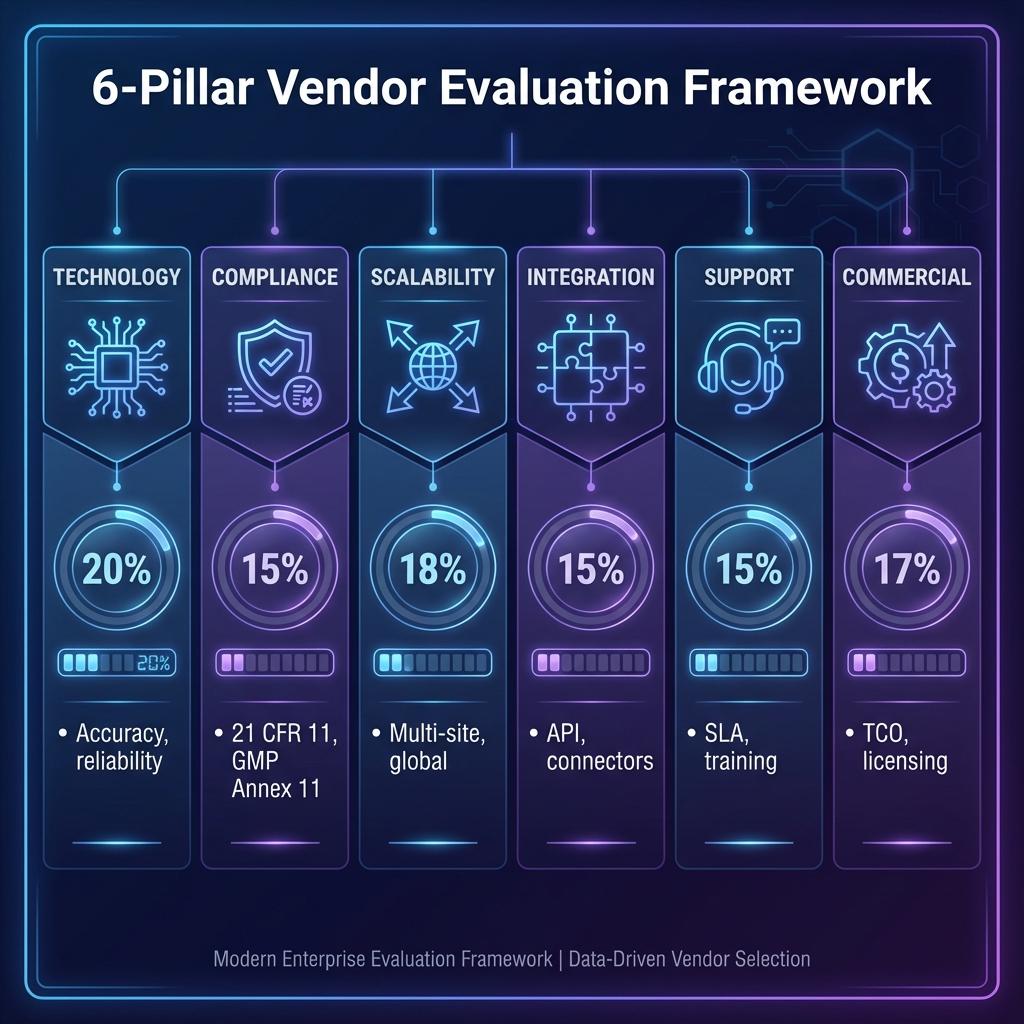
8.1 The 9 Evaluation Pillars
These nine pillars give you a balanced scorecard for vendor selection. If any one of the first three is weak, you’re taking on more risk than you think.
8.1.1 Regulatory & Data Integrity Fit
This is non-negotiable. If a vendor fails here, you’re done.
What “good” looks like
- Clear alignment with GxP / GDP / HACCP / cold chain / data centre expectations, as relevant to your business.
- Explicit support for ALCOA+ principles and data integrity controls.
- Robust implementation of:
- Unique user IDs (no shared logins).
- Read-only, tamper-evident audit trails.
- Configurable roles and permissions.
- Clear approach to electronic signatures, where used.
- Time synchronisation and correct time zone handling.
Questions to ask
- “Show us an actual audit trail export for a real customer environment (with sensitive details redacted).”
- “How do you handle time changes and time zone differences in multi-site deployments?”
- “What is your recommended validation approach in a GxP environment?”
Red flags
- “We can add audit trails later if you need them.”
- “We don’t really see the need for unique user accounts; most of our customers just use a shared login.”
- Vendor clearly hasn’t read or internalised relevant regulatory guidance.
8.1.2 Mapping Methodology & Study Design Expertise
You’re not just buying loggers; you’re buying competence in mapping your environments.
What “good” looks like
- Documented mapping methodology that aligns with WHO, GDP, GSP, HACCP, and good engineering practice.
- Ability to design studies for different environments: warehouses, cold rooms, reefers, passive shippers, retail cabinets, data halls, server rooms.
- Clear rationale for:
- Number and placement of loggers.
- Test durations and seasonal considerations.
- Door-open simulations, load conditions, and acceptance criteria.
- Deliverables that read like audit-ready technical reports, not marketing brochures.
Questions to ask
- “Walk us through a mapping study you conducted for a warehouse / cold room / data hall similar to ours.”
- “How do you determine logger density and placement in high-bay racking?”
- “How do you incorporate door-opening patterns and load variability into study design?”
Red flags
- One-size-fits-all mapping templates regardless of environment.
- Over-emphasis on “number of loggers” but weak on study rationale and interpretation.
- Inability to produce anonymised sample protocols/reports.
8.1.3 Hardware Performance & Calibration
If the sensors are unreliable or calibration is weak, the entire system is compromised.
What “good” looks like
- Hardware portfolio that covers your environment types and temperature ranges (refrigerated, frozen, ambient, high-temp, data halls).
- Clear specifications for accuracy, resolution, operating range, IP rating, and battery life.
- Well-defined calibration processes with traceability to recognised standards.
- Ability to manage asset registers, calibration schedules, and certification records.
Questions to ask
- “Provide sample calibration certificates for your typical sensors, showing ‘as-found’ and ‘as-left’ data.”
- “How do you handle calibration for in-situ sensors in cold rooms or data halls?”
- “What is your recommended calibration interval for critical vs non-critical devices – and how do you support risk-based adjustments?”
Red flags
- Vague or missing calibration information.
- “We don’t usually provide calibration certificates unless requested” (and even then, unclear).
- Sensors that cannot be individually identified (no serial numbers, no link to certificates).
8.1.4 Software Capabilities & UI
The platform is where your people live day-to-day. Bad UX = bad adoption = hidden risk.
What “good” looks like
- Intuitive dashboards – site view, environment view, multi-site overview.
- Fast, clear visualisation of alarms, trends, and status.
- Strong alarm configuration and escalation logic, easy to understand and test.
- Powerful querying and reporting: by site, environment, product, time window, alarm type.
- Support for role-specific views (operators, QA, management, IT, data centre ops).
Questions to ask
- “Show us how a QA reviewer would investigate a serious excursion from start to finish.”
- “Show us how a warehouse supervisor would view their areas and respond to alarms on a busy day.”
- “Show us your mobile / tablet views and offline behaviour.”
Red flags
- Demo environment looks beautiful but they cannot show you realistic alarm handling and data investigation.
- UX clearly designed only for one industry (e.g., only pharma) and painful for others (e.g., data centres or food).
- Basic workflows require too many clicks / screens; you can already feel operator fatigue.
8.1.5 Integration & IT Friendliness
If your monitoring platform is a silo, you will pay for it later – in manual work, duplicated data, and friction with IT.
What “good” looks like
- Modern, documented APIs (REST/JSON or equivalent).
- Proven integrations with common system types: BMS, DCIM, WMS, ERP, QMS, ticketing.
- Clean architecture diagrams for on-prem, cloud, and hybrid deployments.
- Security posture that passes your IT’s sniff test (network segmentation, encryption, authentication, logging).
Questions to ask
- “Provide your API documentation (even partial) so our IT team can review.”
- “Show us a reference integration with BMS / DCIM / WMS / QMS or similar.”
- “How do you handle customer-specific integration projects – do you have internal teams, partners, or is it DIY?”
Red flags
- “We don’t really do integrations; most customers just export CSV files.”
- No clear architecture documentation; vague answers on security, backups, or data flows.
- “Our system must be on the open internet with wide port access” – instant IT heartburn.
8.1.6 Scalability (Multi-Site, Multi-User)
Today it’s one warehouse or a few server rooms; tomorrow it’s global.
What “good” looks like
- Ability to manage dozens or hundreds of sites in one platform, with hierarchical structures (region → site → building → room / cabinet / rack).
- Robust performance with large device counts and high data volumes.
- Flexible role- and site-based permissions (e.g., regional QA vs site QA vs global QA).
- Multi-time zone, multi-language support if relevant.
Questions to ask
- “What is the largest deployment you currently support (sites, devices, users)?”
- “How does your permission model handle multi-country operations and outsourced partners?”
- “How do you handle daylight savings and cross-time-zone reporting?”
Red flags
- Vendor primarily references small, single-site deployments.
- No credible examples of multi-site dashboards or organisation structures.
- Platform becomes sluggish or confusing as more sites and users are added.
8.1.7 Services & Support (Audit Readiness, SOPs, 24/7 Response)
Temperature control is not a one-off project; you need a partner, not just a product.
What “good” looks like
- End-to-end service capability: mapping, validation, calibration, implementation, training, audit support.
- Clear support model:
- Response and resolution times by severity.
- Named support contacts or escalation paths.
- Ability to help develop or refine SOPs, templates, and audit kits.
- Experience supporting regulatory inspections and customer audits.
Questions to ask
- “Describe a recent audit where your system was reviewed; what questions were asked and how did you support the customer?”
- “Can you provide sample SOP templates (alarm management, mapping, calibration) that you typically use as a starting point?”
- “What is your standard support coverage – hours, regions, languages?”
Red flags
- “We just provide the software; you’re on your own for mapping, validation and SOPs.”
- No clear SLA; support is email-only with vague response times.
- Limited understanding of what an audit actually looks like in practice.
8.1.8 Decision Governance Alignment
This pillar asks: does the vendor’s way of working fit your governance model?
What “good” looks like
- Vendor respects that Quality leads requirements and acceptability.
- They have experience working in organisations where Procurement negotiates only among QA-approved options.
- They can align with your internal change control, validation, and documentation processes.
Questions to ask
- “How do you typically engage with QA vs Procurement vs IT in your projects?”
- “How do you support change control and periodic reviews in validated environments?”
Red flags
- Vendor insists on selling only to Procurement, treating QA and IT as obstacles.
- “We prefer to deal only with IT – Quality generally just signs in the end.”
- No experience with formal governance structures – everything is “ad hoc project work.”
8.1.9 Total Cost of Ownership (3–5 Year Horizon)
The cheapest year 1 price is rarely the cheapest over five years.
What “good” looks like
- Transparent breakdown of costs:
- Hardware (purchase or rental).
- Software (licence, subscription, per-site or per-device fees).
- Mapping and validation services.
- Calibration services.
- Support and maintenance.
- Clear upgrade policy – what’s included vs chargeable.
- Flexibility to adjust scale (add/remove sites/devices/users) without punitive penalties.
Questions to ask
- “Show a sample 5-year TCO for a deployment similar to ours (with clear assumptions).”
- “What happens to our data and configuration if we decide to exit after the contract ends?”
- “How do you handle price increases over multi-year contracts?”
Red flags
- Pricing is opaque, with many hidden add-ons.
- Heavy lock-in (e.g., proprietary, non-exportable data formats; penalties for reducing scale).
- No clear statement on data export and handover at contract termination.
8.2 Evaluation Scorecard Template
The goal of a scorecard is not to turn selection into a purely mathematical exercise, but to:
- Make sure every pillar is considered.
- Provide a transparent, documented rationale for your decision.
- Allow Quality, IT, Ops and Procurement to see the trade-offs clearly.
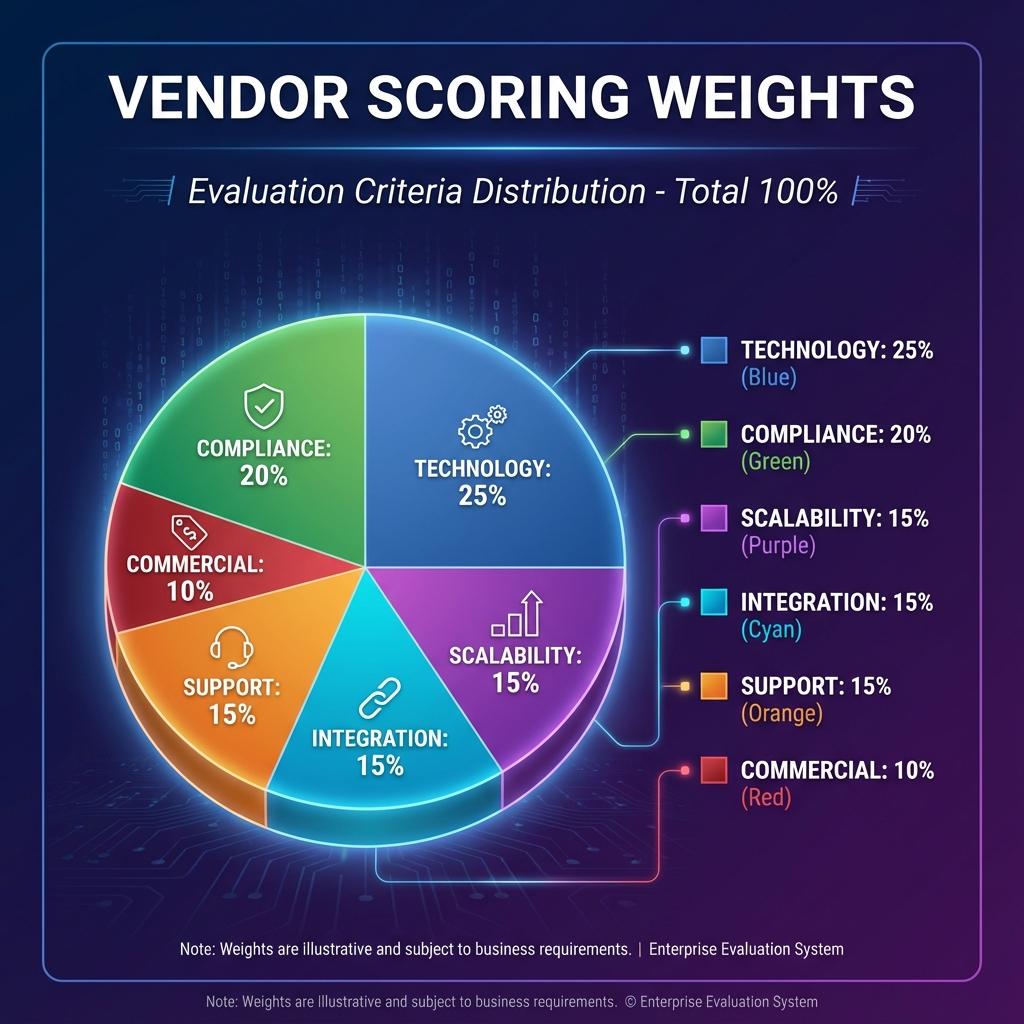
8.2.1 Criteria-Weighted Sheet (Ready to Copy)
Start with this simple structure (adapt weightings to your context):
Vendor Evaluation Scorecard
| Pillar | Weight (%) | Vendor A Score (1–5) | Vendor B Score (1–5) | Vendor C Score (1–5) |
|---|---|---|---|---|
| 1. Regulatory & Data Integrity Fit | 20 | |||
| 2. Mapping Methodology & Study Design | 10 | |||
| 3. Hardware Performance & Calibration | 10 | |||
| 4. Software Capabilities & UI | 15 | |||
| 5. Integration & IT Friendliness | 10 | |||
| 6. Scalability (multi-site, multi-user) | 8 | |||
| 7. Services & Support | 10 | |||
| 8. Decision Governance Alignment | 7 | |||
| 9. Total Cost of Ownership (3–5 years) | 10 | |||
| Total Weighted Score | 100 |
Scoring guidance
- 1 = Unacceptable
- 2 = Weak / high risk
- 3 = Adequate with limitations
- 4 = Strong
- 5 = Excellent / best-in-class
Quality should retain veto rights on Pillar 1 (and often Pillar 2 & 3). Even if a vendor scores highest overall, a low score on Regulatory/Data Integrity should disqualify them.
8.2.2 Sample Filled-Out Comparison Grid (Illustrative)
Just to illustrate how this looks in practice:
Example: Three Shortlisted Vendors (Illustrative Only)
| Pillar | Weight | Vendor A | Vendor B | Vendor C |
|---|---|---|---|---|
| Regulatory & Data Integrity Fit | 20 | 5 | 4 | 3 |
| Mapping Methodology & Study Design | 10 | 4 | 3 | 2 |
| Hardware Performance & Calibration | 10 | 4 | 3 | 4 |
| Software Capabilities & UI | 15 | 3 | 5 | 3 |
| Integration & IT Friendliness | 10 | 3 | 4 | 2 |
| Scalability | 8 | 4 | 3 | 2 |
| Services & Support | 10 | 4 | 3 | 2 |
| Decision Governance Alignment | 7 | 4 | 3 | 2 |
| Total Cost of Ownership (3–5 years) | 10 | 3 | 4 | 5 |
| Weighted Total (out of 5) | 100 | 4.0 | 3.9 | 3.0 |
In this illustrative case:
- Vendor A is stronger on compliance, mapping, and services, but slightly weaker UI and higher cost.
- Vendor B looks slicker on UI and integration, cheaper on TCO, but weaker on mapping and calibration depth.
- Vendor C is cheaper and strong on hardware, but weaker across most strategic pillars.
A mature organisation would:
- Shortlist Vendor A vs Vendor B for deeper due diligence / pilot.
- Explicitly document why Vendor C is out (risk vs cost).
- Let QA drive the final recommendation between A and B, using pilots and validation assessments.
8.3 Common Pitfalls to Avoid
This is the part where we save you from the classic “we should have known better” stories.
8.3.1 Treating Mapping as a Formality
What happens
- You run a minimal mapping study (“because the regulator says we must”).
- The report is filed away and never used to redesign layouts, setpoints, or probe positions.
- Monitoring probes end up in convenient places, not validated worst-case locations.
Why it’s dangerous
- You can be “passing mapping” and still monitor the wrong spots.
- Auditors increasingly expect you to show how mapping results informed your monitoring strategy.
Avoid this by
- Making mapping a decision-making tool, not an obligation.
- Choosing vendors who can interpret results and translate them into layout and monitoring recommendations.
8.3.2 Buying Hardware Without Validated Software
What happens
- Procurement buys “great loggers at a great price”.
- Data is exported into Excel, or into a home-grown database.
- There is no proper audit trail, user management, alarm logic, or validation.
Why it’s dangerous
- For regulated spaces, spreadsheets and bare loggers are very hard to defend in audits.
- For data centres and logistics, manual processes lead to missed alarms and slower incident response.
Avoid this by
- Treating the monitoring solution as a system (hardware + software + services + governance).
- Making it explicit in your URS/RFP that hardware-only proposals are not acceptable for critical spaces.
8.3.3 Ignoring Calibration Intervals (and “As-Found” Results)
What happens
- Devices are installed and forgotten.
- Calibration is done sporadically, sometimes only when auditors are imminent.
- “As-found” out-of-tolerance results emerge, but nobody investigates the impact on historical data.
Why it’s dangerous
- Uncalibrated or drifting sensors can give a false sense of security—you may think you are in range when you’re not.
- Regulators expect documented impact assessments when out-of-tolerance conditions are found.
Avoid this by
- Baking calibration policy into your URS and governance (Chapter 6 & 7).
- Selecting vendors who can support structured calibration programmes and help assess impact of OOT findings.
8.3.4 Using Spreadsheets as Monitoring Logs
What happens
- Staff manually record temperatures on paper or in Excel.
- Files are copied, renamed, and edited without robust controls.
- There’s no enforced audit trail, no robust time stamping, and no automatic alarm notifications.
Why it’s dangerous
- Manual logs are heavily exposed to error and data integrity concerns.
- Investigations and trending become painful and unreliable.
Avoid this by
- Restricting spreadsheets to low-risk support roles, if at all.
- Using validated platforms for all critical environments and records.
- Ensuring your vendor’s solution can generate reports that replace the need for manual logs.
8.3.5 Allowing Procurement to Override Compliance Mandates
What happens
- Procurement finds a cheaper vendor who “almost” meets the URS.
- Quality’s concerns are downplayed in favour of short-term savings.
- The system goes in, only to fail an audit or require retrofitted controls and rework.
Why it’s dangerous
- You save money on the contract and then pay it back—with interest—through:
- Deviations, CAPAs, and re-validation.
- Additional manual controls.
- Potential product loss or downtime.
- Regulatory findings or reputational damage.
Avoid this by
- Making it explicit (in policy and in governance) that Quality has the final say on acceptability.
- Using the scorecard to show that “cheap but non-compliant” is not a serious option.
- Involving Finance & CXOs so they understand the risk-cost trade-off and support Quality-backed decisions.
How to Use Chapter 8
- As a checklist when you shortlist, evaluate, and negotiate with vendors.
- As a training tool for Procurement and IT, explaining why Quality’s requirements are not “nice-to-have”.
- As a documentation aid: your completed scorecard and pillar assessments become part of your validation and audit trail for vendor selection.
Get Chapter 8 right, and you don’t just buy a system—you select a long-term partner that fits your regulatory reality, your operational needs, and your risk appetite for the next 3–5 years.
Vendor Evaluation Process
This flowchart shows the evaluation and selection process: